Account
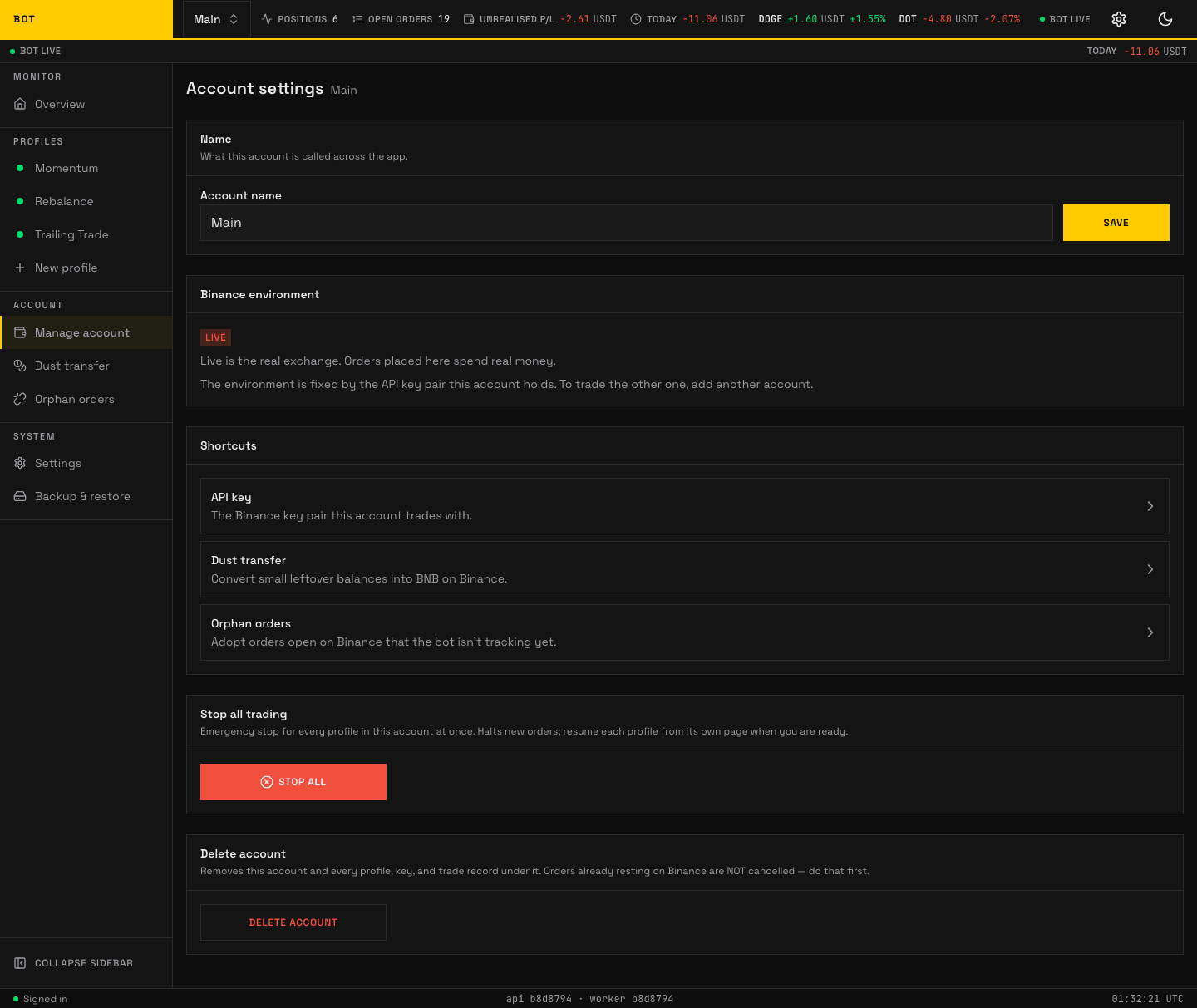
The Account page. Name, Binance environment, shortcuts, and the per-account kill switch. Seeded demo data, not a real account.
An account is one Binance account the bot trades: one API key pair, one environment (testnet or live), and the profiles that run under it. The Account page is where you name it, see its environment, reach its wallet shortcuts, emergency-stop it, or delete it.
Name
Account name — what this account is called across the app. Edit and press Save.
Binance environment
Read-only, shown as a Testnet or Live badge:
- Testnet is Binance's practice exchange: real prices, practice money — nothing here can gain or lose you anything.
- Live is the real exchange: orders spend real money.
The environment is fixed by the API key pair this account holds. To trade the other one, add another account.
Shortcuts
Three tiles to this account's wallet surfaces:
- API key — the Binance key pair this account trades with.
- Dust transfer — convert small leftover balances into BNB.
- Orphan orders — adopt orders open on Binance the bot is not tracking yet.
Stop all trading
An emergency stop for every profile in this account at once. Stop all flips each profile's kill switch: the bot stops placing and managing orders immediately, while open positions and resting orders are left untouched. Resume each profile from its own page when you are ready. When nothing is left running the control shows All stopped.
Delete account
Delete account removes this account and every profile, key, and trade record under it. Orders already resting on Binance are not cancelled — do that first. If the account still has live orders or held positions, the app blocks the delete ("This account still has money on the exchange") and tells you to delete each profile first so the bot can cancel their orders for you. This prevents leaving ghost orders on Binance with nothing pointing at them.