Dust transfer
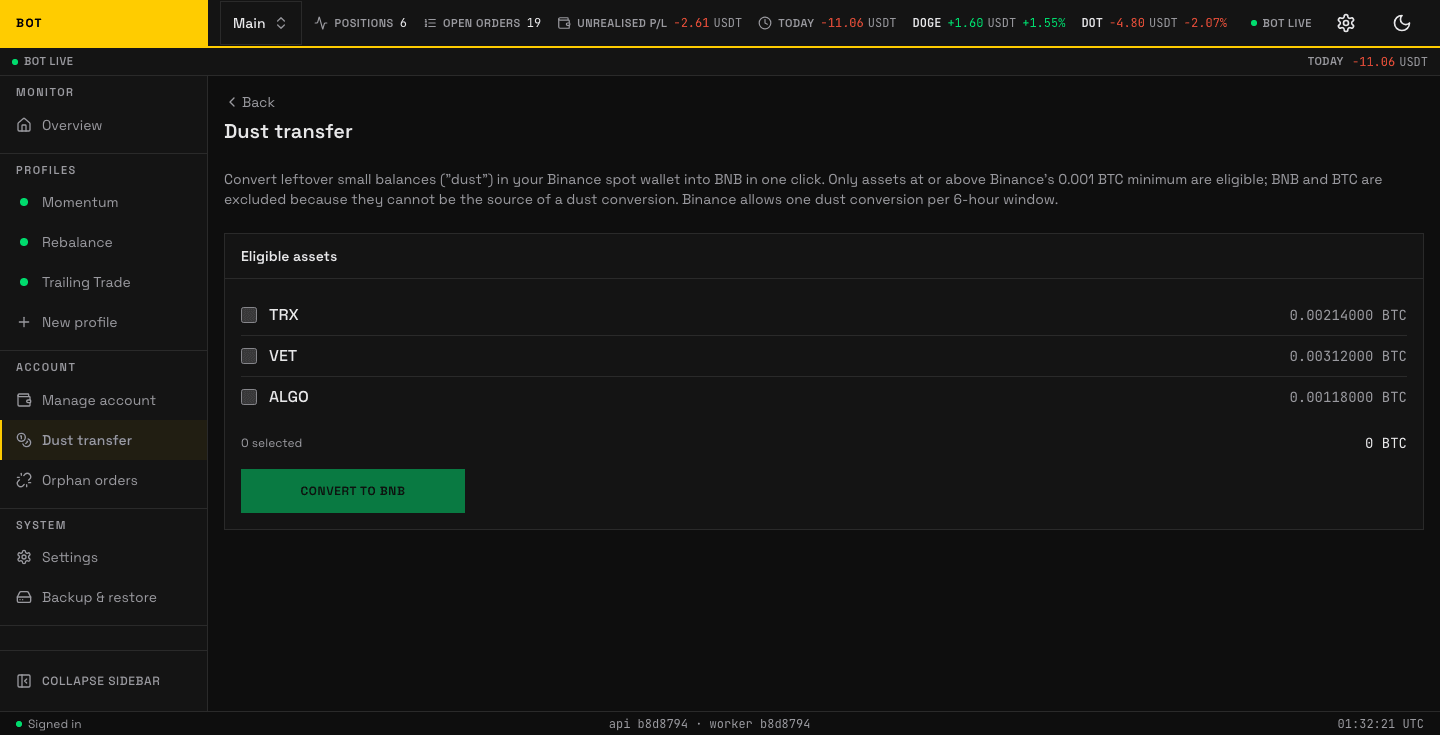
The Dust transfer page. Convert leftover balances too small to trade into BNB. Seeded demo data, not a real account.
Dust is a leftover balance too small to trade — a few cents of a coin left after a sell. The Dust transfer page converts that dust in your Binance spot wallet into BNB in one click, using Binance's own dust-conversion.
Rules Binance imposes:
- Only assets at or above the 0.001 BTC minimum are eligible.
- BNB and BTC are excluded — they cannot be the source of a dust conversion.
- One conversion per 6-hour window.
- Live accounts only — testnet always shows empty here.
Converting
The Eligible assets panel lists each convertible asset with its estimated BTC value and a checkbox. Tick the ones to convert; the footer shows how many you selected and the running BTC total. Press Convert to BNB. A Recent conversions panel below shows past runs and how much BNB each produced.
Pressing Convert to BNB queues the conversion rather than running it on the spot. The bot picks queued conversions up every five minutes, so there is a real window in which one is waiting rather than done.
Cancelling
While a conversion is waiting or running, a Queued conversion panel appears with a Cancel queued conversion button. It disappears once nothing is left to cancel, so a page showing only finished conversions offers no button — there is nothing there to undo.
Cancelling removes every conversion this profile still has waiting, not just the most recent one. Dust requests do not replace each other, so pressing Convert to BNB twice leaves two of them queued.
It cannot stop a conversion Binance has already started. If the bot is mid-conversion you get a message saying so, and any other queued conversions are still removed. Wait for that one to finish and check Recent conversions before asking for another.