Backup and restore
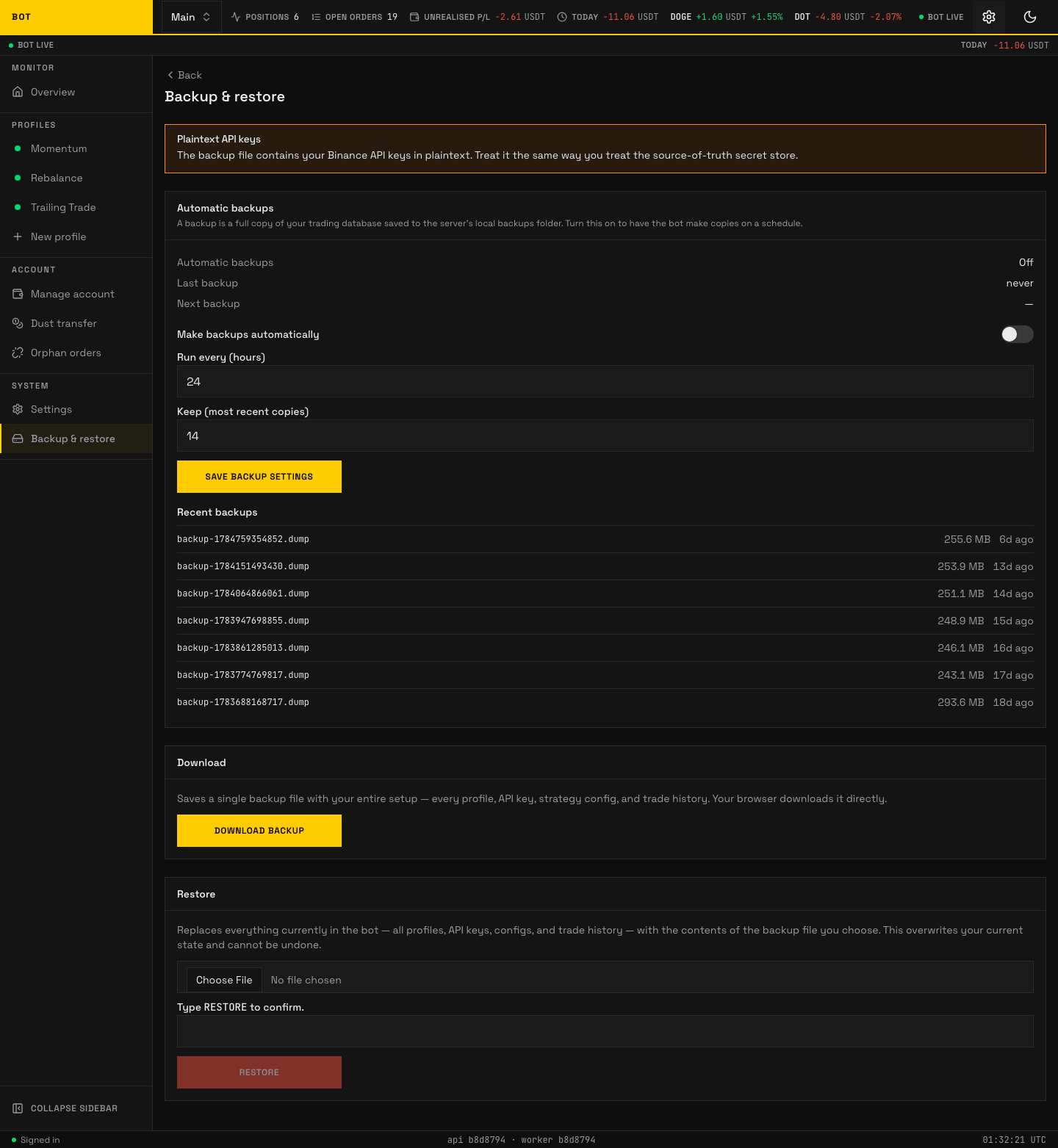
The Backup & restore page. Schedule, download, and restore database dumps. Seeded demo data, not a real account.
The bot keeps two backup paths: a scheduled periodic dump configured in the app, and an on-demand download/restore through the API. Both write the same custom-format archive that pg_restore reads.
Periodic backups (configured in-app)
The schedule is set under Account → Backup in the web UI, not by environment variables:
- Enable — turn periodic backups on or off. A toggle takes effect on the next cron poll; no worker restart needed.
- Interval (hours) — how often a fresh dump is taken.
- Retention (count) — how many dumps to keep. Older ones beyond this count are pruned after each successful dump.
The worker runs the db-backup cron. It self-reschedules every 5 minutes, checks the saved config, and when a dump is due runs pg_dump writing backup-<epochms>.dump into BACKUP_DIR (default /backups, bind-mounted to ./backups by compose). The dump streams to a .dump.partial temp file and is renamed into place only on success, so a killed dump never leaves a half-written archive that retention would miscount. The 5-minute poll is not the backup cadence; it is only how often the cron checks whether a dump is due per intervalHours.
flowchart TD
    Poll["Poll every 5 min"]:::io
    EnabledGate{"Enabled?"}:::gate
    DueGate{"Due: last + intervalHours?"}:::gate
    Dump["pg_dump to .dump.partial"]:::core
    Rename["Rename to backup-ts.dump"]:::act
    Prune["Prune to retentionCount"]:::act
    Sweep["Sweep stale .dump.partial"]:::act

    Poll --> EnabledGate
    EnabledGate -- "no" --> Poll
    EnabledGate -- "yes" --> DueGate
    DueGate -- "no" --> Poll
    DueGate -- "yes" --> Dump --> Rename --> Prune --> Sweep

    classDef io fill:#2c3e50,color:#ffffff;
    classDef core fill:#1f6f43,color:#ffffff;
    classDef gate fill:#f0ad4e,color:#2c3e50;
    classDef act fill:#1f6f43,color:#ffffff;
    classDef wait fill:#ecf0f1,color:#2c3e50;
The old
backupcompose sidecar (its ownpostgrescontainer running a shell loop) has been removed. The worker cron replaces it, so only one mechanism writes./backups. TheBACKUP_INTERVAL_SECONDS/BACKUP_RETENTION_DAYSenv vars are gone; configure the schedule in the UI instead.
On-demand download and restore (API)
Unchanged:
GET /backup— streams a fresh full dump for download.POST /restore— upload a previously taken archive to restore the database.
The in-app schedule under Account → Backup reads and writes its settings through:
GET /backup/config— the saved schedule (enable, interval, retention) plus the list of recent on-disk dumps.PUT /backup/config— update the schedule; takes effect on the next cron poll.
All require an authenticated operator session.
POST /restore is upload-only: it restores from an archive you send in the request. To restore from a dump already on disk (a periodic backup-<ts>.dump), use the pg_restore CLI procedure in deploy/README.md under Restore.
Security note
The worker process now holds a path that reads the entire database into the local backups folder. The dump is a restorable plaintext copy, and per the threat model the Binance API keys and notifier secrets it contains are stored plaintext too, so a leaked dump leaks live credentials. The compensating controls are the operator's Binance IP-allowlist, which limits what a leaked key can do, and tight filesystem permissions on the backups directory so the dumps are never web-served or world-readable. Keep BACKUP_DIR outside any served path and restrict it to the worker user.