Settings
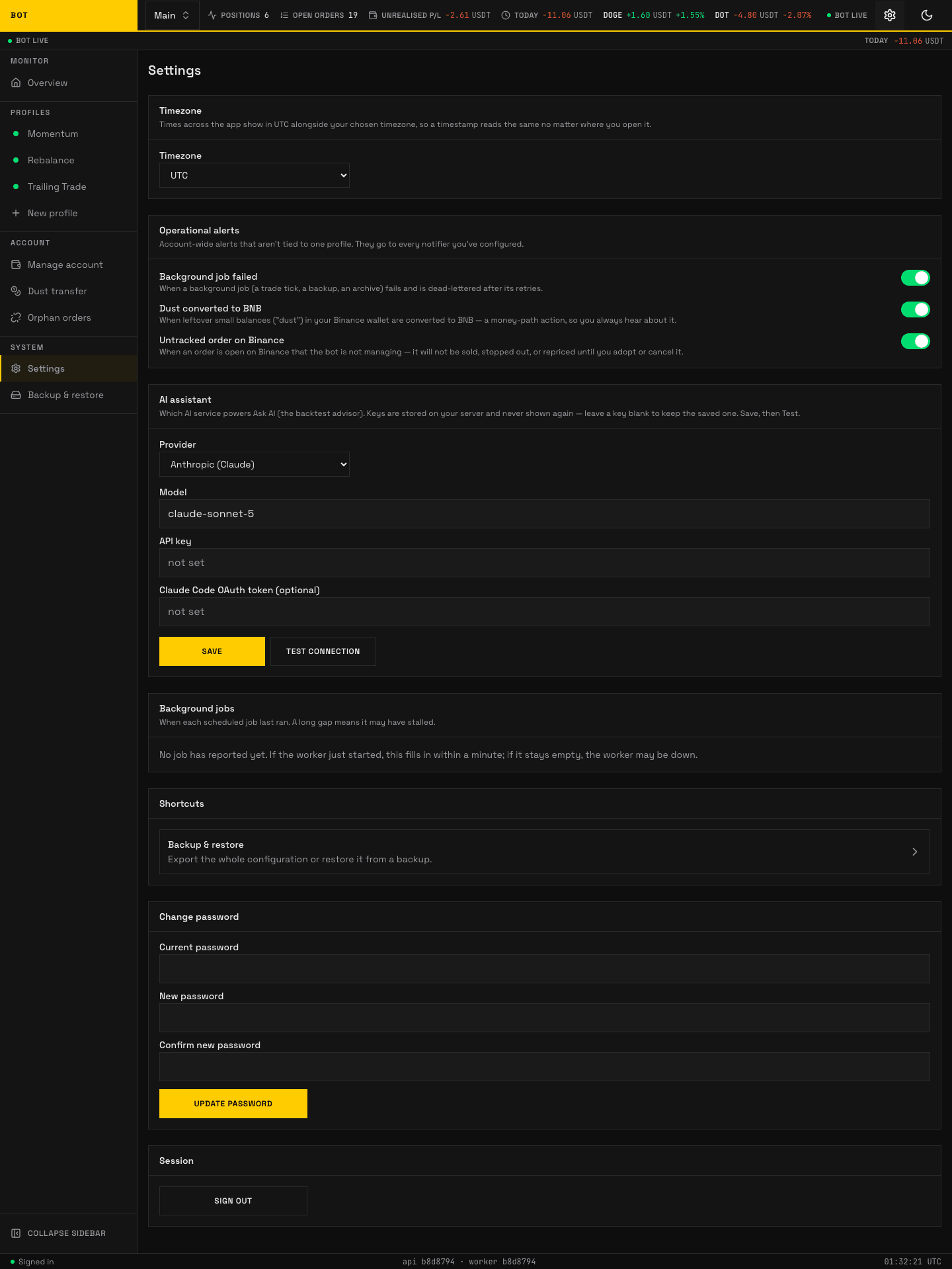
The operator Settings page. Timezone, log retention, ops notifier, AI assistant, health, and password. Seeded demo data, not a real account.
The Settings page holds operator-login settings that apply no matter which account is in view.
Timezone
Times across the app show in UTC alongside your chosen timezone, so a timestamp reads the same wherever you open it. Pick a zone from the Timezone list (UTC is pinned first).
Log retention
How long the bot keeps its own records. Changes apply on the next nightly sweep; no restart is needed.
- Keep action logs (days) — what the bot did and why, shown on each profile's Logs tab. The highest-volume record, especially while Capture every tick is armed. Default 1, range 1–365.
- Keep action logs (rows per profile) — a second limit on the same log, applied by the same sweep. The day limit decides how far back it reaches; this one stops a single busy profile filling the table before that day is up. It counts each profile separately, so a chatty profile cannot push a quiet one's history out. Default 200,000, range 1,000–10,000,000.
- Keep audit logs (days) — what you changed: every setting edit, manual order, and kill-switch flip. A few rows a day, so keeping it far longer than the action log costs almost nothing. Default 90, range 1–365.
- Trace buffer (entries per profile) — the raw per-tick trace, held in memory only. The limit applies to each profile's Redis stream separately, and every symbol of a profile shares that profile's budget. This is not a retention setting: entries are dropped by count, not by age. Bigger reaches further back and survives a longer drainer outage; the memory cost per entry is dominated by the audit payload your strategy emits, so measure it with
MEMORY USAGE audit:<account>:<profile>:streamrather than assuming a figure. Default 100,000, range 1,000–5,000,000.
Press Save retention settings. Shortening a horizon, or tightening the row cap, deletes rows on the next sweep and cannot be undone, so a reduction asks you to confirm and names exactly which limit shrank and by how much. Raising one saves without a prompt.
One day is a short horizon on purpose. The action log is a record of changes, and what is currently true of a profile or symbol — blocked entries, stale discovery, a market-breadth block — is held separately with its own start time, so a condition that has held for weeks still reports its full duration after the log behind it has been swept. See Conditions and the diagnosis.
Shortcuts
- Security — sign-in methods, signed-in browsers, AI agent access, sign-in limits and security activity. See Sign-in and security.
- Backup & restore — export the whole configuration or restore it from a backup.
Change password
Shown only when you have a password and password sign-in is on. Fields Current password, New password (at least 12 characters), and Confirm new password; press Update password. Every other browser and every AI agent is signed out.
Session
Sign out ends your login session.
Operations panels also live here
The Settings page also carries the operator notifications card, AI-provider card, and an ops health panel. Those are covered under Notifications and the Operations runbooks.