Notifications
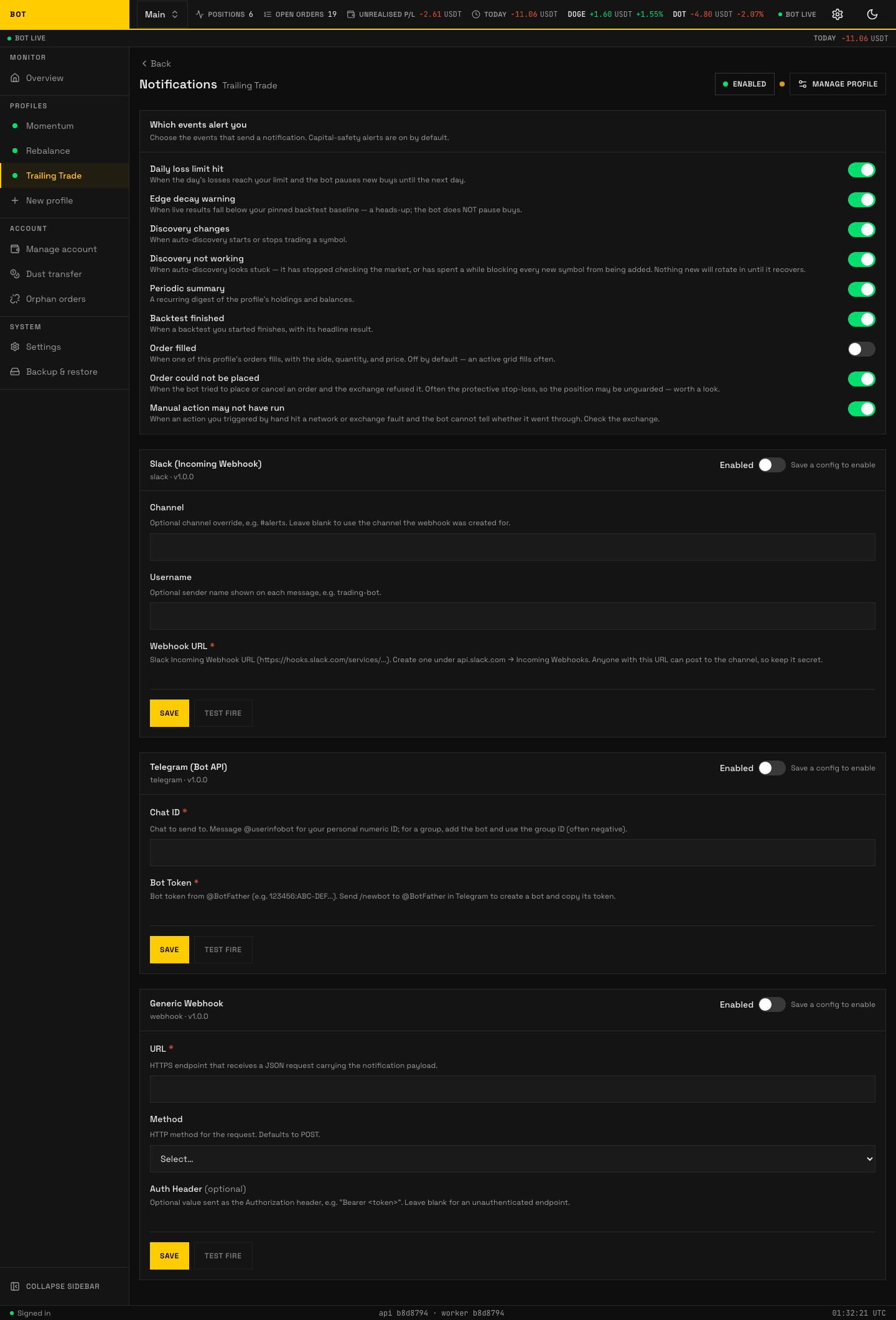
The Notifications section. Which events alert, and where they are delivered. Seeded demo data, not a real account.
The Notifications section decides where a profile's alerts are sent and which events fire one. Notifications are optional; with no provider configured the profile still trades, it just stays quiet.
For the operator walkthrough of setting up a provider end to end, see Notifiers under Concepts. This page is the field reference for each provider's config.
Providers
You add one card per destination. Each provider's config form is generated from its schema, so the labels match the tab exactly. Fields marked as a write-once secret (a webhook URL, bot token, or auth header) are entered once and never shown back — the app stores them and only ever displays whether one is set.
Event subscriptions
Separate from the provider config, the tab has an event subscription section: a set of toggles for which events send a notification (for example order placed, order filled, stop-loss triggered, profile stopped). Toggling an event is not stored config on a provider — it is a per-profile subscription — so it is not in the tables above. Turn on only the events you want to be pinged about; everything still shows on the dashboard regardless.