API key
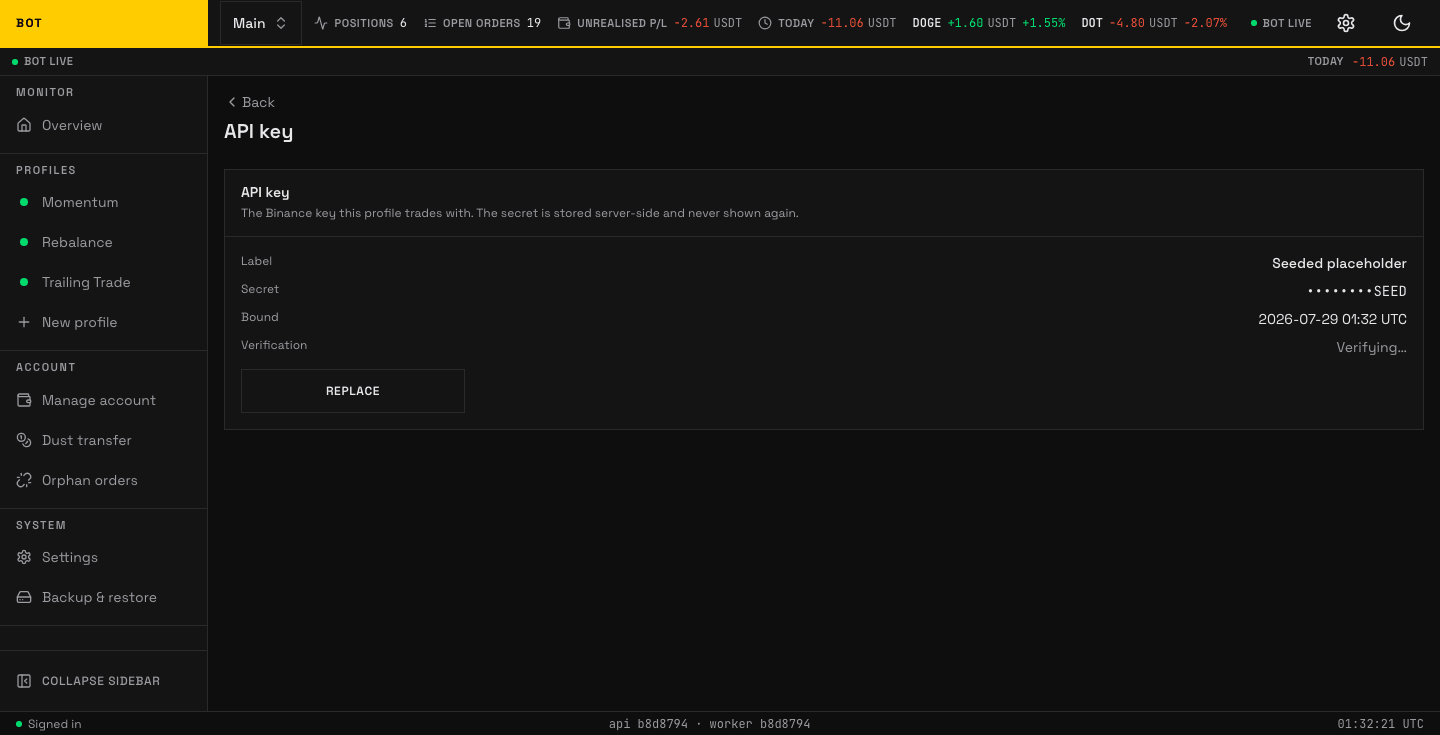
The API key page. The account stores one Binance key pair; only the last four characters are ever shown back. Seeded demo data, not a real account.
The API key page holds the Binance key pair the account trades with. The secret is stored server-side and never shown again — the page only ever displays its last 4 characters.
Secure the key on Binance before you paste it
Keys are stored unencrypted, so the protections on the Binance side are what keep a stolen key from doing harm:
- Permissions — enable only "Enable Reading" and "Enable Spot & Margin Trading". Leave "Enable Withdrawals" OFF — the bot never withdraws, so a leaked key without it cannot move funds off the exchange.
- IP allowlist — restrict the key to this server's IP on the Binance console. That is what stops a stolen key from trading elsewhere.
Adding or replacing a key
When no key is bound the page shows No key bound to this profile yet and an Add API key button. The form has:
- Label (optional) — a name for the key, e.g.
read-trade. - API key
- API secret
Press Save.
An already-set key
The read view shows a definition list: Label, Secret (masked as •••••••• plus the last 4 characters), Bound (when it was set), and Verification (Verified ✓, Failed, or Verifying…). Replace swaps in a new key in place; the old secret is never shown.