Profile settings
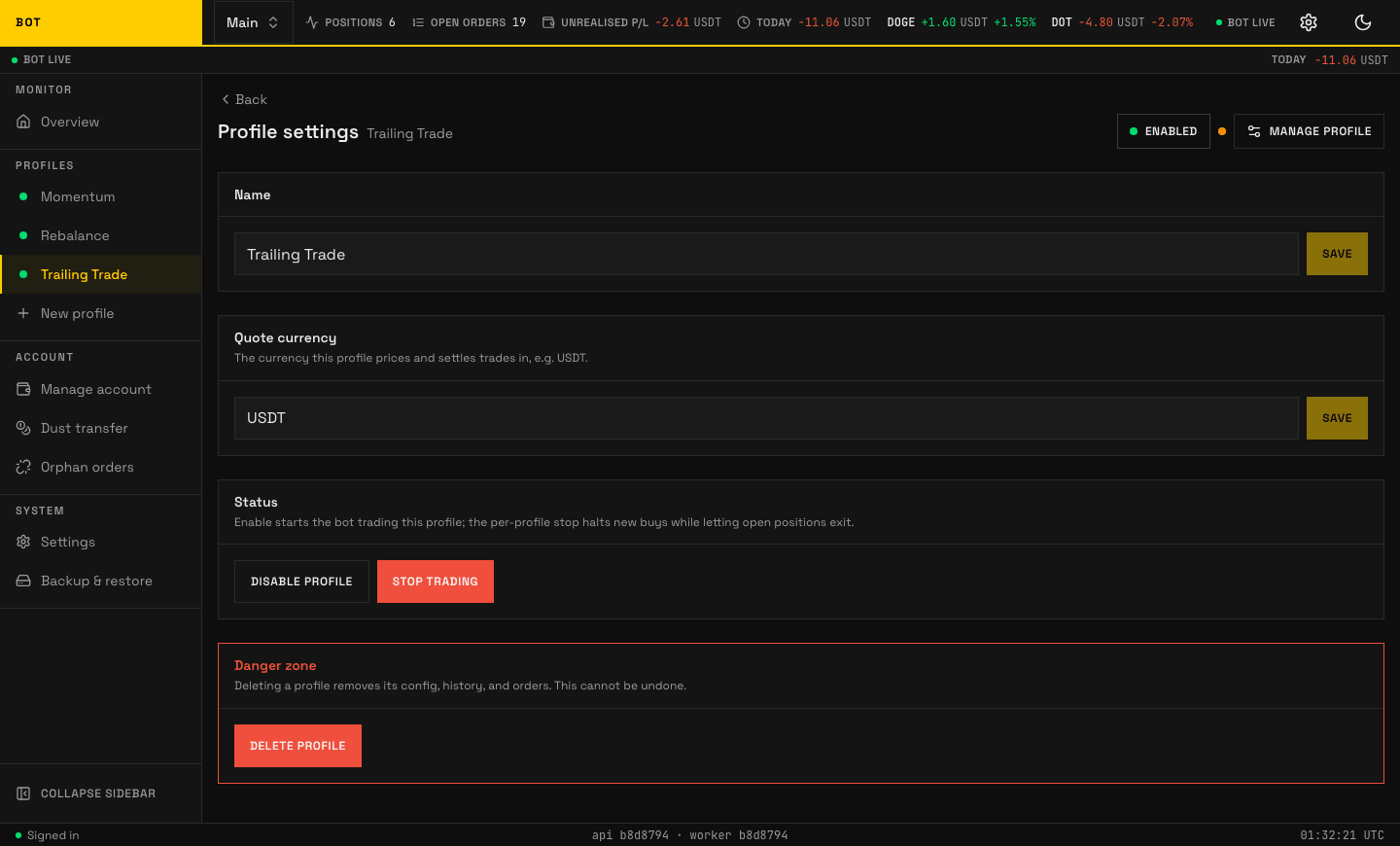
The Profile settings section. Name, quote asset, and profile-level toggles. Seeded demo data, not a real account.
Profile settings holds the profile's identity and its lifecycle controls — enabling, stopping, and deleting. There is no strategy config here. It is named the same in the sidebar and in the page heading; it was previously "General" in the menu and "Profile settings" on the page.
Name
Rename the profile. Save with Save.
Quote currency
The currency this profile prices and settles trades in, e.g. USDT.
Status
Two independent controls, because "stop" and "disable" mean different things:
| Control | Buttons | Effect |
|---|---|---|
| Enable / disable | Enable profile / Disable profile | Enable starts the profile ticking and trading per its config (auto-buy, discovery, sells). Disable stops it ticking, but resting exchange-side orders (e.g. a protective stop) stay in place until cancelled. |
| Stop / resume trading (kill switch) | Stop trading / Resume trading | Stop freezes all decisions immediately; open orders are unaffected. Resume picks up on the next tick. |
Use stop trading for an instant freeze that leaves everything in place; use disable to take the profile out of service.
Reconcile fees
Use Reconcile fees in Manage profile when anything in History is marked net n/a, a trade row or a summary line,, which means its fee evidence is incomplete. It retries Binance fee evidence in the background and does not place or cancel orders. A fee charged in a third coin such as BNB is priced from the commission rates Binance applies to your account, so it usually resolves; it stays unavailable only when that rate lookup fails or returns something the bot will not trust. Results appear in History → Archive.
Danger zone
Delete profile permanently removes the profile's config, history, and orders. It cannot be undone. Coins you already hold on the exchange are not sold — only the bot's record of them is removed.
If the profile still has live orders or open positions when you delete it, the app escalates to a disposal step ("This profile is still active") and offers two safe choices rather than abandoning the orders:
- Cancel its resting orders, then delete — the bot cancels the profile's orders on Binance, then deletes it; your coins stay in your wallet as plain holdings.
- Hand the position to another profile — transfer the open position to a profile you pick, then delete this one.
This disposal-on-delete behaviour is deliberate: an active profile is never silently abandoned with live orders (which would leave ghost orders on Binance).