Incident workspace
Start with the reported impact, evidence freshness and next action. The assessment, supporting evidence and shared conversation stay on one page.
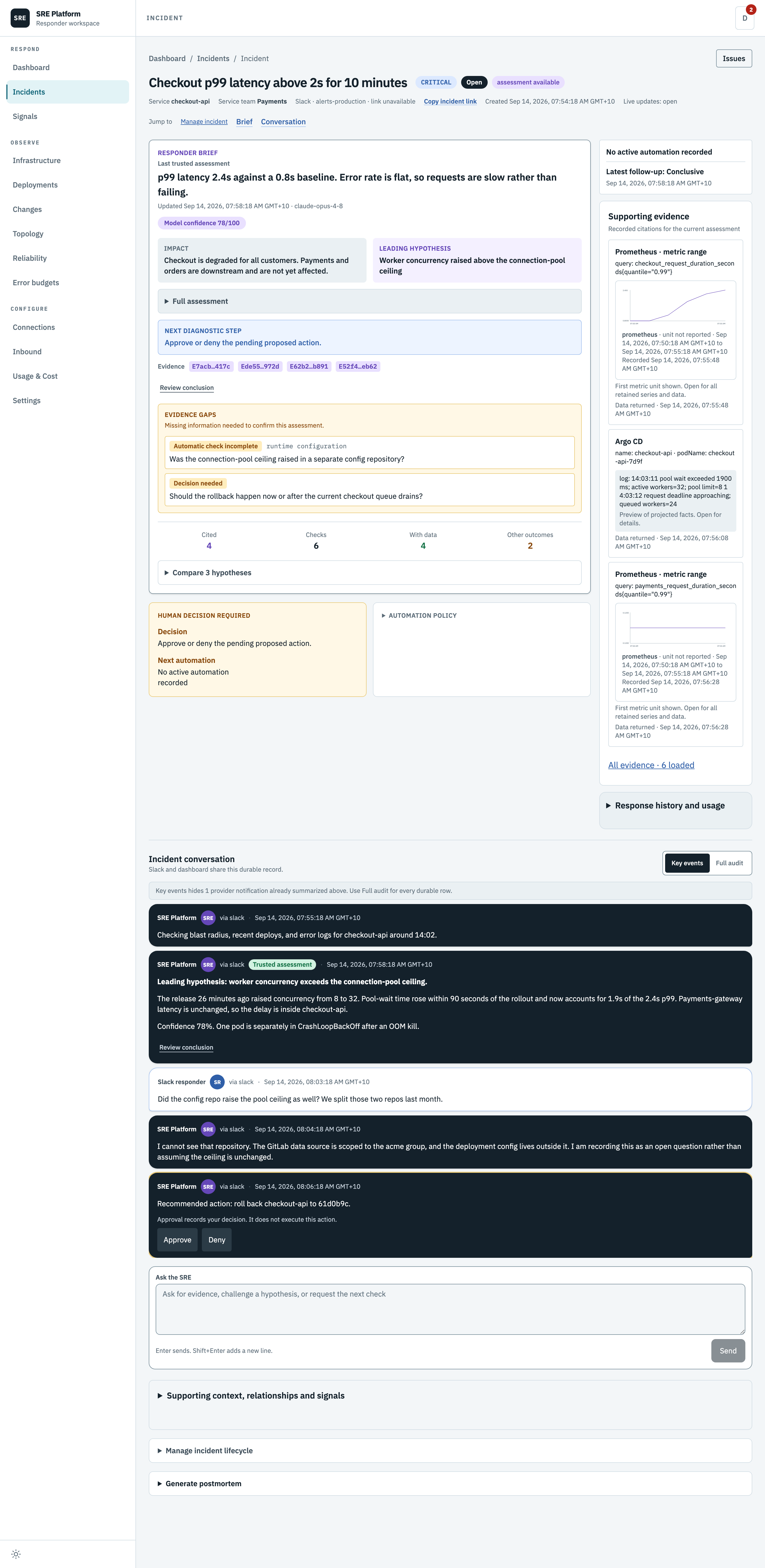
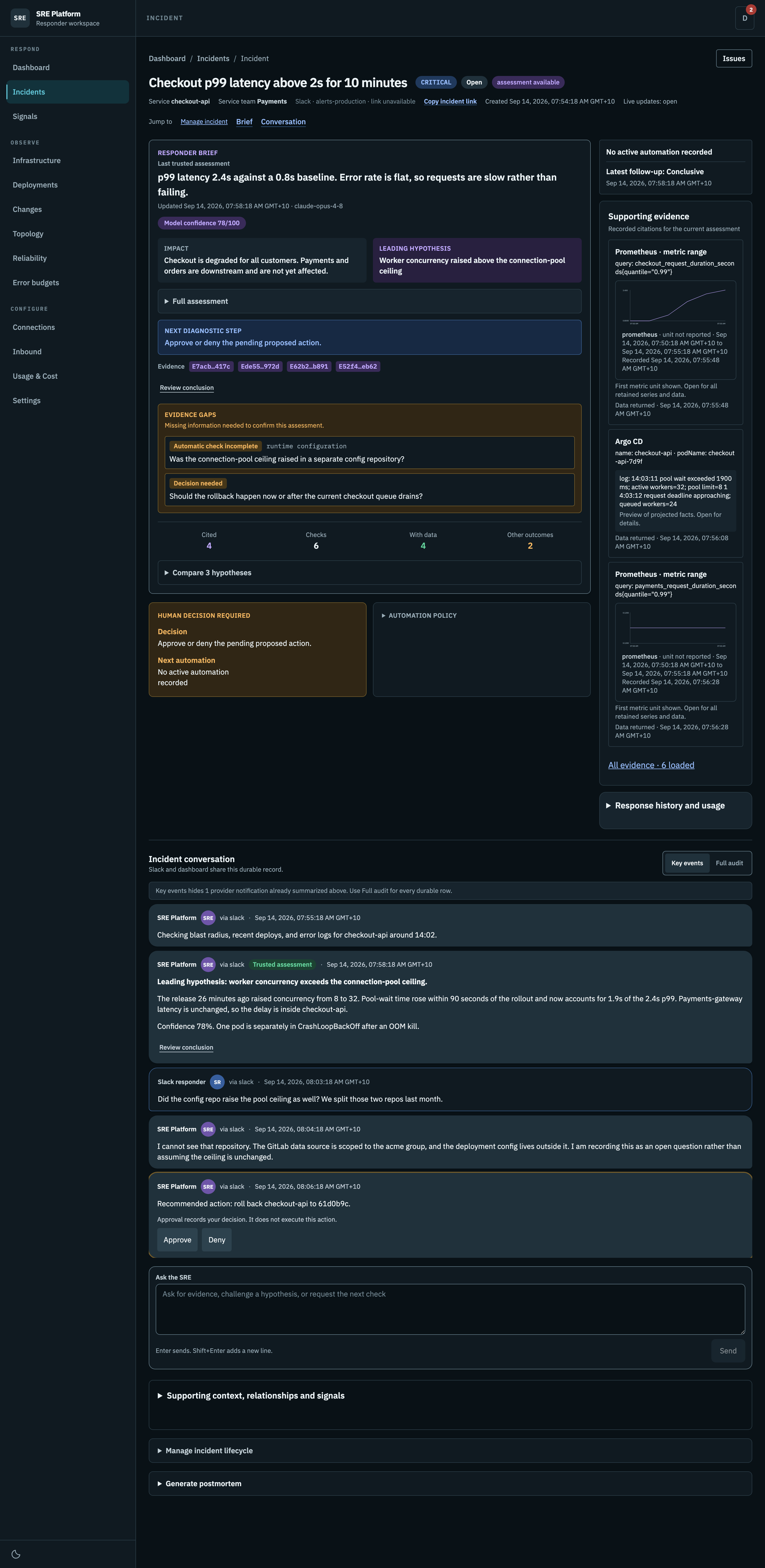
Triage at a glance
| Section | Contains |
|---|---|
| Brief | Recorded impact, leading hypothesis, contradictions, missing information and next step |
| Conversation | Every message, from Slack and from here, in one thread |
| Supporting evidence | A compact set of cited checks, or explicitly labeled recent checks |
Human decision required
The decision names the recorded next action. Service team is ownership context, not an assigned incident commander. Missing team or impact stays explicit. Check contradictions before acting.
When a provider bot posts a recovery notice in Slack for this incident, the platform records it as a report. A provider that edits its alert message so it opens with a resolved header covers every alert in that message, until the provider edits that message again. An edit that only lists some alerts as resolved covers the one alert it matched. A new recovery message covers only the alert it names; if one new message names several alerts, only one of them is covered. Any report also covers earlier posts of the same alert, because a provider that posts a new message for each firing leaves one alert per post, and the latest recovery ends them all. When every open alert has a report, every open alert came from Slack, and the incident is open or mitigated, the platform marks the alerts recovered and starts recovery verification, and the conversation reads Verifying recovery before resolving. The incident resolves only if verification confirms recovery. Until every alert is covered, the conversation notes that verification waits for the remaining alerts. If the provider edits the message back to firing, or posts the alert again, the alert is active again and verification stops. Under the provider-clear policy a Slack report never counts as provider recovery, so verification reports the blocker instead of resolving. An operator can still resolve the incident at any time.
Automation policy
What the platform is allowed to do on this incident: whether a provider episode boundary is recorded, and how much of the automatic investigation budget this incident has used.
Recorded state, not assumed progress
Incident lifecycle, provider notifications, recovery evidence and automation are separate facts. Cleared alerts do not prove user recovery. A queued or processing job describes a stored work record, not proof that a worker is making progress. A scheduled check can be overdue.
| Panel | Answers |
|---|---|
| Response status | Whether human attention is required and the recorded lifecycle |
| Provider notifications | Is the underlying alert still unresolved |
| SRE investigation | Recorded work and the separately timestamped last completed result |
| LLM usage | What this one incident has cost |
History, policy and accounting remain in disclosures. An interrupted live stream is shown beside the situation. You can keep editing a draft while disconnected, but must reconnect before sending. New updates offer explicit navigation without moving your reading position.
Inspect evidence
Open a citation to inspect its exact check, including one outside the loaded evidence page. All evidence opens the loaded ledger. Search, source and outcome filters apply only to loaded records; Load older evidence fetches another page. Data returned is not proof of a diagnosis.
The wide inspector shows a chart, facts or logs before raw stored input/output. Long content uses pages instead of nested vertical scrollers. Projection limits are disclosed; stored output is not the provider's complete history. Back to evidence retains filters. Close or Escape returns to the incident without discarding the draft.
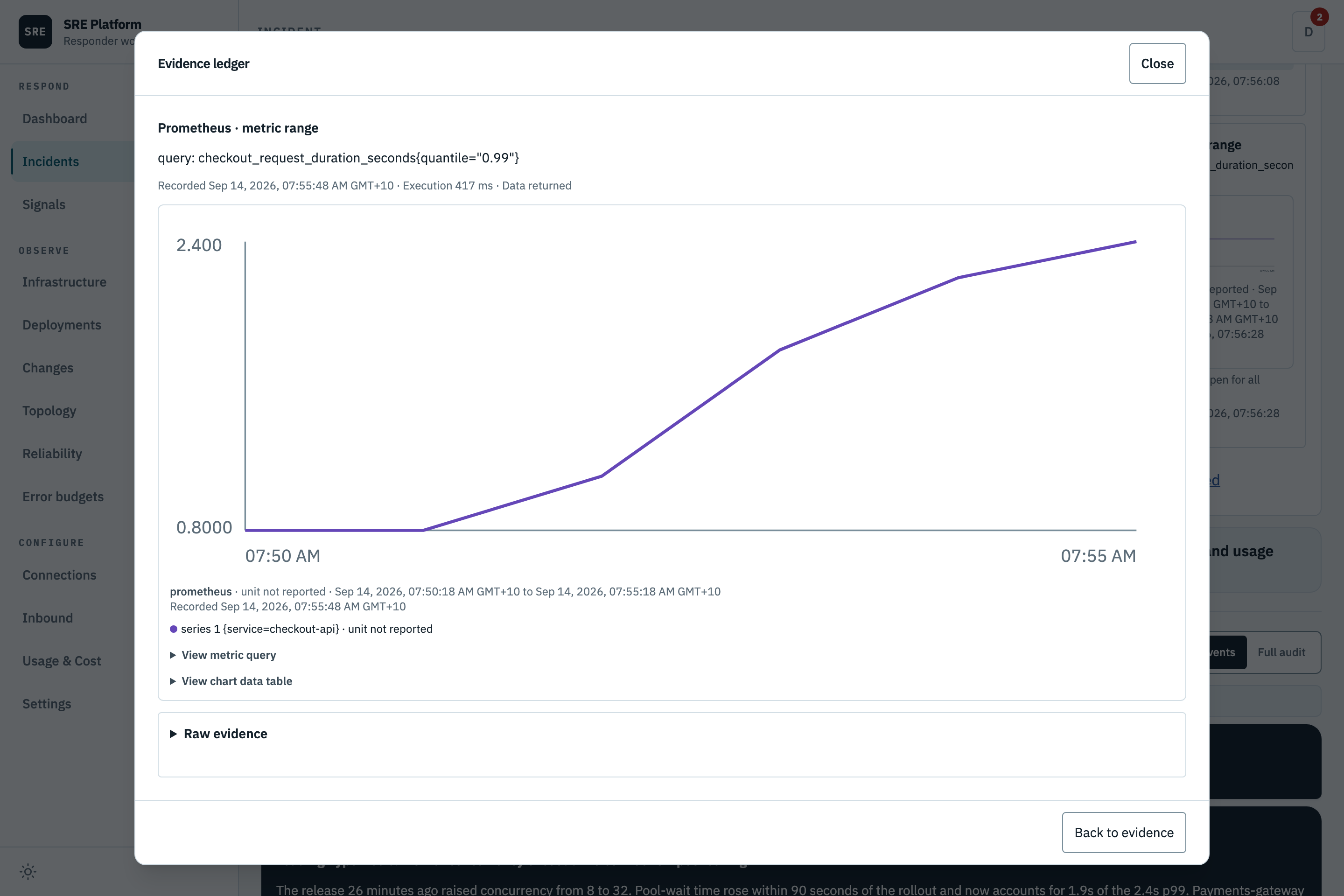
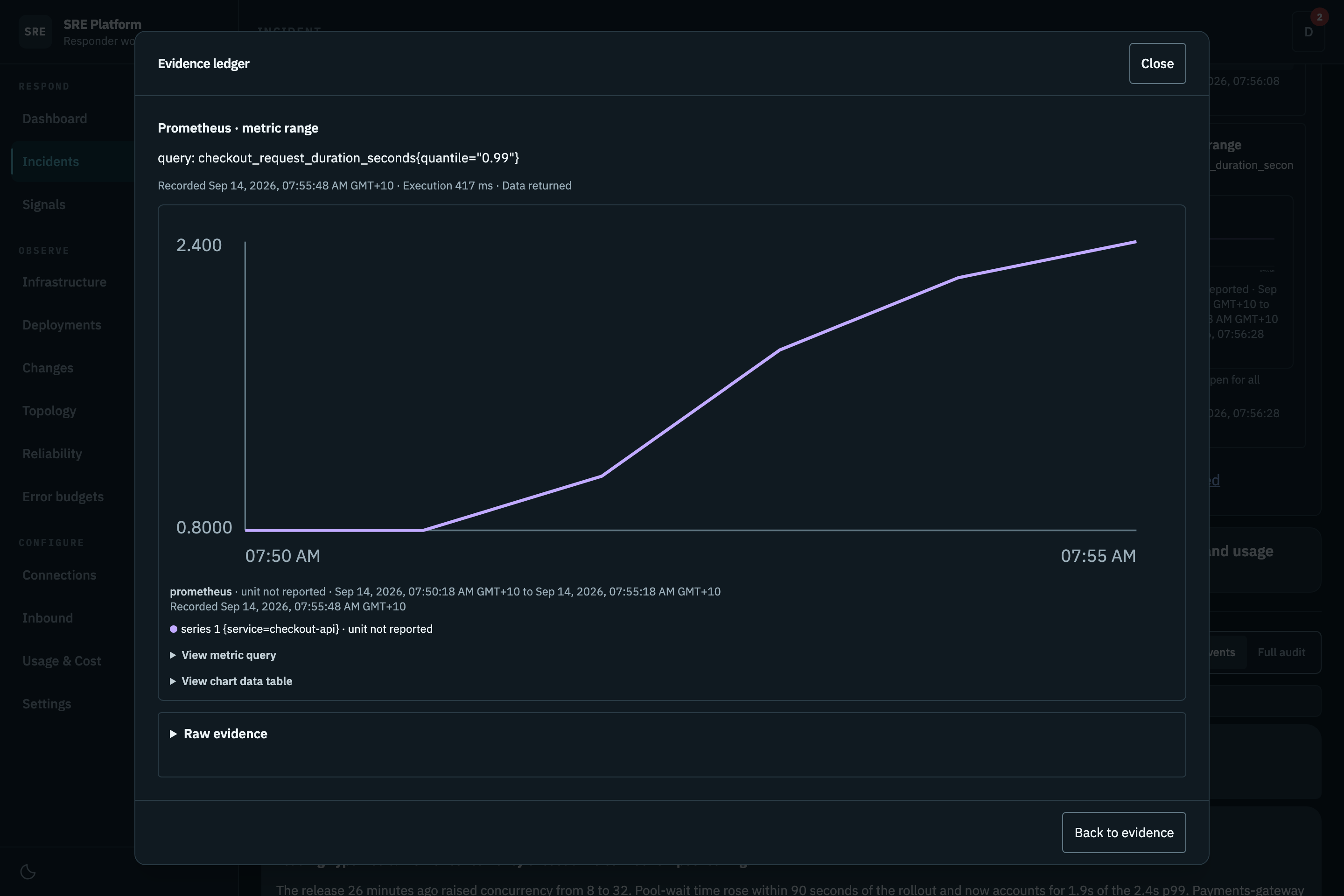
On tablet and mobile, the workspace stacks by available width. Situation and next action stay ahead of supporting evidence and conversation. The same inspector keeps Back and Close available.
Responder brief
The recorded assessment, with its timestamp. Its observation window may be older than the page.
- Model confidence is a self-reported number out of 100. It falls when evidence is thin or a step could not run. Treat it as the platform's own hedging, not a probability.
- Impact is who is affected.
- Leading hypothesis is the most likely cause, and Full assessment expands to the ranked alternatives with the evidence for and against each one.
When newer recovery evidence controls the brief, retained impact is labeled Impact at last assessment with the assessment timestamp. This historical impact does not establish current impact or imply that impact is zero. Health checks retain their assessment context.
Only a conclusive investigation becomes the trusted assessment. An inconclusive run is recorded and visible, but it does not overwrite a good earlier answer.
Current work is separate from the last trusted assessment. A queued or running follow-up does not make the earlier answer current. A failed follow-up leaves its failure visible and preserves the earlier assessment and evidence. Delivery status describes whether a message reached Slack, not whether the investigation succeeded.
Before publishing a conclusion, the platform reviews it against the recorded evidence. Historical successful builds do not establish current health, and a mirrored repository does not establish which revision was deployed. Missing or contradictory evidence leaves the result inconclusive. Repository paths, resource names, commands, and any credentials in the evidence are preserved as written; nothing is redacted.
For an inconclusive run, Latest investigation result shows the reviewer's conclusion, limited to facts the evidence supports, and a Still to verify list of open checks. The next diagnostic step comes from the reviewer when the incident has no trusted next step. None of this becomes the trusted assessment, and the run has no model confidence. When the review found evidence missing rather than contradictory, the run keeps the engine's hypotheses, none of them leading.
Replies keep the requested answer or document when evidence review corrects an unsupported claim. The full corrected reply remains in the dashboard even when the diagnosis is inconclusive; Slack receives a concise summary and incident link. This does not replace the trusted assessment. Recovery advice is reviewed too. A later observation does not erase an earlier measurement from a different time window. Evidence searches match individual terms; an empty search is not proof that the incident has no relevant evidence.
Large evidence is reviewed in up to six source-linked chunks, then synthesized only after complete coverage. The limit is 480,000 serialized evidence characters and seven calls sharing the original deadline. Budget, timeout, malformed-output and citation failures report incomplete review, not a detected contradiction. Unchecked procedures are withheld; durable evidence remains available.
Capture guidance for next time
An active, linked workspace member can ask, “Create a runbook from this incident.” The platform queues knowledge capture and posts the saved document in the conversation. Duplicate delivery of the same request does not create another job. A withdrawn request is not permission to save it. If newer conversation context arrives before the save commits, capture stops and asks you to request it again. The saved document is posted again safely if delivery is interrupted.
With a confirmed remediation, the result is a runbook awaiting human review. Without a confirmed fix, it is an investigation note with diagnostic guidance and explicit open questions, not a proven remedy. Both are searchable in later investigations. Saving knowledge does not change the incident lifecycle, modify infrastructure, or commit a file to a repository.
Slack receives a concise takeaway and an incident link; the complete document remains in the conversation. Ask a follow-up there to discuss the guide without restarting the diagnosis.
An unsupported request to write a repository document may offer platform knowledge capture instead. Only the requesting member can confirm that saved offer with Yes, within 15 minutes. No cancels it; other input supersedes it. Old assistant prose is not consent. Explicit requests to save a platform guide still run directly, without this extra confirmation.
Repository issues
Open Issues on an incident to read, create, edit, close or reopen GitHub and GitLab issues. Choose a connection and repository, then load recent issues or enter an exact issue number. Lists contain at most 50 recent results. Permanent deletion is not supported. Descriptions are limited to 20,000 characters; manage longer issues in the provider directly.
Changes require an administrator to enable issue management for specific repositories in the connection. Prepare the fields, choose Review changes, inspect the saved preview, then choose Publish issue or Save changes. Only the requesting active workspace member can confirm it. Check the saved connection and destination URL, especially when instances share repository paths. Discard draft makes no external change. Previews expire after 15 minutes.
You can also ask in the conversation, for example, “Create a GitLab issue in team/service with
the diagnostic findings.” Include the connection and full repository path; include the issue
number for an update. The platform prepares a preview, not a write. Confirm using the exact
Confirm issue <draft ID> command shown in its reply, or use the Issues panel. Bare “Yes” is not
issue authorization. Newer conversation input blocks a queued confirmation.
The platform rechecks membership, connection permissions and the issue's saved snapshot before dispatch. A changed issue needs a new preview. This check cannot prevent another editor changing the issue between the read and the provider's write. GitLab also checks the live project identity and path before writing; a concurrent transfer after that check remains a provider-side race. Only requested fields are sent.
Each preview allows one dispatch attempt. If the outcome is unknown, inspect the issue in its provider and refresh status before preparing another change. The platform never automatically retries an uncertain write or a rate-limited request. Results stay in the incident conversation.
Lifecycle requests and health checks
An active workspace member can ask to close or reopen the current case in the conversation, for example, “Please close this incident.” The platform records an attributed lifecycle receipt after the change commits. Advice such as “Should we close?”, quoted instructions, other conditional requests, and references to another case do not authorize a change. The lifecycle controls remain available.
A request to close only once recovery is confirmed, such as “Recheck and close if resolved”, starts recovery verification instead. Slack-reported alerts with a recorded recovery report are resolved, and the case resolves only if verification confirms recovery. If an earlier verification ended not verified or used all its checks, the request starts a fresh one with a new check budget; a provider's Slack recovery notice alone does not. When verification cannot start, for example because a provider-verified alert is still active or an alert has no recovery report, the platform says why and runs a check instead; nothing is resolved. A clarifying question never offers to act on your reply. Restate the request instead.
Closing a case does not verify recovery, silence a monitor, or discard evidence. A later question continues the conversation without reopening it. New responder context arriving during a run is kept for the follow-up; an outdated draft is not published as the current answer. A cancellation received before a pending lifecycle action commits prevents that stale action.
A general health check uses the same conversation and evidence workspace, labeled Health check. Use Complete health check when finished. Completion is not an outage resolution and does not claim recovery. Health checks remain in the shared list but do not count as outages in operational or reliability totals.
Incident graph
Every provider episode keeps its own incident, evidence, and conversation. A recurrence link is history, and a possible relationship means only that two alerts were worth comparing.
An evidence-backed caused by relationship names this incident's direct cause. Following direct causes identifies the response root. The root coordinates lifecycle and recovery for the causal group, but it does not move or hide a symptom's signals, evidence, or Slack thread.
The panel puts the causal links first: a link to the direct cause when this incident is a downstream symptom, then the incidents this one directly caused. Every relation below that shows its direction, who decided it, the rationale, the confidence, and the evidence behind it.
| Action | When it is offered |
|---|---|
| Reject causal link | On an evidence-backed direct cause you disagree with |
| Mark unrelated | On a possible relationship |
| Record different cause | On a recurrence link |
| Merge | On a possible relationship or a recurrence, never on a causal link, and only once both investigations have finished |
| Split back out | On a pair that was merged |
All of them require a reason and concrete evidence, all are attributed, and all are reversible. Rejecting a causal link dissolves that part of the group and rechecks recovery for what is left.
Relationship decisions stay on the dashboard. Findings and replies stay in the incident's current Slack thread; lifecycle changes can reach the status-only source threads that belong to the response. Each destination has its own durable delivery receipt.
Alert episodes
The Occurrence ledger lists every provider notification this incident has received, oldest first: the episode and the tool that raised it, the state it is in, when it was first and last seen, and the version the record is on. A version above one means the provider revised an existing episode rather than starting a new one.
Under it sits the latest observation for each named target, because one notification can cover several, and then the full card for every notification still unresolved.
Affected entity
What the alert suggests is affected, kept apart from what raised it. The producers are listed as sources. Everything else is a candidate, with its kind, a confidence, where the suggestion came from, how complete it is, and when it was observed.
A candidate stays a suggestion until it is matched to a service in your catalog. Map to service records that match with a reason, and Correct mapping changes one. A candidate with no match says so rather than guessing at one.
Code context
The repositories resolved for this incident's services, and the recent authenticated source events on them. When nothing resolves, the panel says so and points at connectors rather than showing an empty list.
Review a conclusion
Open Review conclusion on a conclusive assessment or conversation reply, then choose Confirm conclusion or Correct conclusion. Include supporting evidence and, for a correction, the replacement conclusion. Leave it unreviewed if you cannot verify it. Failed, inconclusive, blocked, and budget-exhausted runs do not offer conclusion review. Saving a review records attributed feedback; it does not resolve the incident or approve a change.
Tags and navigation
Tags appear below the incident identity. Use Add tag or Edit tags to open the editor, review suggestions, and add or remove tags. The editor stays closed until you need it. Jump to links move to the brief, conversation, or evidence on the same page. The conversation input sits below the messages without covering them. Its send status and Send button stay together below the text area.
How a reply moves the investigation
flowchart TD
    Reply["You reply, in Slack or here"] --> Read["The platform re-reads what it<br/>already gathered"]
    Read --> Decide{"What does your<br/>message need?"}
    Decide -->|A question| Answer["Answers in the thread.<br/>The root cause is unchanged"]
    Decide -->|New evidence| Finding["Writes a fresh assessment"]
    Decide -->|A concrete next step| Recommend["Proposes an action,<br/>with Approve and Deny"]
    Decide -->|Nothing| Silent["Records that it read you,<br/>and says nothing"]
Ordinary conversation never changes the incident's status. Explicit current-case lifecycle requests follow the separate attributed action path described above.
One investigation runs at a time per case. Queued replies are read together, with every message retained, so several people replying at once do not start overlapping investigations. Long backlogs are interpreted in bounded pages with saved progress, then combined into one investigation response. New input waiting behind a running investigation is shown separately as queued, not already incorporated. If there is too much newer context to interpret an older status request safely, the platform leaves the status unchanged and asks you to restate the request after the backlog clears. Earlier messages remain in the conversation; model context may show an omission marker when its history window is full. An individual request that is too long to interpret is retained but does not start an investigation; the platform asks for a shorter request instead.
Approving an action
Approving does not run anything. The platform holds no credential that can change your infrastructure. Approval records a human decision, with who and when; a human carries it out.
The first decision wins. A click on a stale message is rejected rather than applied to an incident that has moved on.
When an investigation fails
An AI provider rate limit stops the investigation without producing a conclusion. The platform does not automatically retry this failure. Check the provider account limit before requesting another investigation. Other transient provider outages keep their existing retry behavior.
When the AI provider rejects the request itself, for example because the configured model is not available to the credential, the investigation stops with AI provider rejected the configured request and is not retried automatically, since repeating the same request cannot succeed. Correct the AI model or credential setting, then retry.
Retry investigation in the decision panel re-runs a failed or degraded investigation in one step, attributed to you. The server accepts a retry only while the incident is open or mitigated, its investigation failed or degraded, and no queued or running work remains. The retry is recorded in the conversation as your request and runs the same continuation as a reply. When the network repeats the same request, the server returns the first result. A second click while the retry is still queued is refused, and so is a retry from a page that no longer shows the current state; review the incident and try again.
When the latest investigation failed and no queued or running work remains, Prepare retry request fills the Ask the SRE composer. Review it and press Send after the blocker clears. Preparing the request does not send it. The platform does not change providers or credentials automatically.
Slack transcripts show resolved participant names and mentions where the connected Slack app can read their profiles. Original IDs and content remain in the stored record. Names are presentation only, not proof of permissions; failed lookups retain the IDs. This also applies to older transcripts.
Changing the status
Use the lifecycle controls or ask naturally, for example, “Please close this incident because the check is complete.” The platform interprets intent but applies changes only for an active, linked workspace member and the current case. A question about whether to act, quotation, condition, or ambiguous request does not authorize a change. “Can you close this incident?” requests a change; “Should we close this incident?” asks for advice.
You can keep asking questions on a resolved incident. It will answer, and the incident stays resolved.
Postmortem
Generate postmortem asks you to declare why this incident deserves one: user-visible impact, data loss, an on-call intervention, a slow resolution, or a monitoring failure. The trigger is stored with the document and never inferred. Generation is a queued job; the button returns at once and the page opens in a waiting state until the draft lands. If no draft has landed after about five minutes the page stops waiting and shows "Postmortem generation did not finish." with a Retry button; Retry resumes the wait, and the incident timeline holds the failure note if generation was refused. Pressing the button twice queues one job, not two.
The draft is written under a blameless instruction, then every generated field passes an identifier guard that replaces workspace member emails, their local parts, Slack mention tokens, @handles and any email-shaped token with "a responder". The guard has a stated limit: a bare first name typed in chat that is not a member's email local part is not caught, and the instruction is the only defence there. Read the draft with that in mind.
There is one postmortem per incident. While it is a draft, Regenerate overwrites the generated sections and the generated action items and keeps every action item a person added. Once published, regeneration is refused. The incident's Slack thread receives "Postmortem draft ready for review." with an Open postmortem link. A generation that fails after repeated attempts leaves a note in the dashboard conversation only; it never changes the incident.
The postmortem page shows the summary, impact, contributing causes with the evidence they cite, the trigger narrative, resolution, detection, lessons learned (what went well, what went wrong, where we got lucky), a timeline, and supporting information. Each section is editable. Save sends the revision you read; if someone saved in between, the save is refused and the page asks you to reload.
Action items are the part that does the work. Each one is typed prevent (stop it recurring), mitigate (shrink the blast radius) or process (change how people work), and carries an owner, a tracker link (https only), a state of open, in progress, done or will not do, and a due date. Generated items arrive with no owner and no tracker, because the model cannot know your tracker, and are flagged Untracked until a person fills them in. The Reliability workspace counts untracked items rather than hiding them.
Publish is one way. It freezes the document and queues a grade of the root-cause assessment pinned to the postmortem: the one in force when it was generated, or, if generation recorded none, the one trusted at publish. The judge scores that assessment's summary and top hypothesis against the published contributing causes. After publishing you can record your own verdict, correct, partial or incorrect, and the model judge's verdict appears beside it once it lands. Your verdict is the one the Reliability workspace reports; the judge's is kept so the judge itself can be scored.
Resolution policy
For an active incident, open Manage incident lifecycle, enter a lifecycle change reason, choose Provider signals clear or Verified recovery, and save the resolution policy. The change is attributed and audited against the version you reviewed. If the incident changed meanwhile, refresh and review the new state before retrying. Joined records and completed cases cannot change policy; health checks retain verified recovery.
New incidents opened by a native provider webhook (Alertmanager, Grafana, Datadog or StatusCake) receive provider-clear policy. That path does not use AI classification. Incidents opened from a Slack message, including one opened while classification is unavailable and the investigation is degraded, receive verified recovery. This does not change existing incidents automatically. For an existing record, review its provider identity, signal history and response group before using the policy command above. Record why provider recovery is an appropriate resolution criterion for that case. Do not clear the queue or rewrite policies in bulk to hide missing recovery evidence.
Provider-clear resolution requires authoritative provider recovery for every signal, compatible policies throughout the response group, and no pending approval. Operator corrections and legacy clear states do not satisfy that requirement, and suppressing a Slack notification never clears a signal. The brief and queue distinguish Resolved from provider signals from independently verified health, and retain historical assessment evidence. Reopening or changing the response group clears a stale resolution basis. Policy changes reevaluate cleared signals through the same recovery process.
Provider resolution retains earlier findings and their evidence. Continue root-cause or prevention work as follow-up when needed. Use recurrence context to relate later, separately identified provider episodes. A refire or delayed message for the same episode still follows identity and event-order checks. Retain the earlier incident and its source-clear basis rather than treating it as independently verified health.